💬 Channels and chats
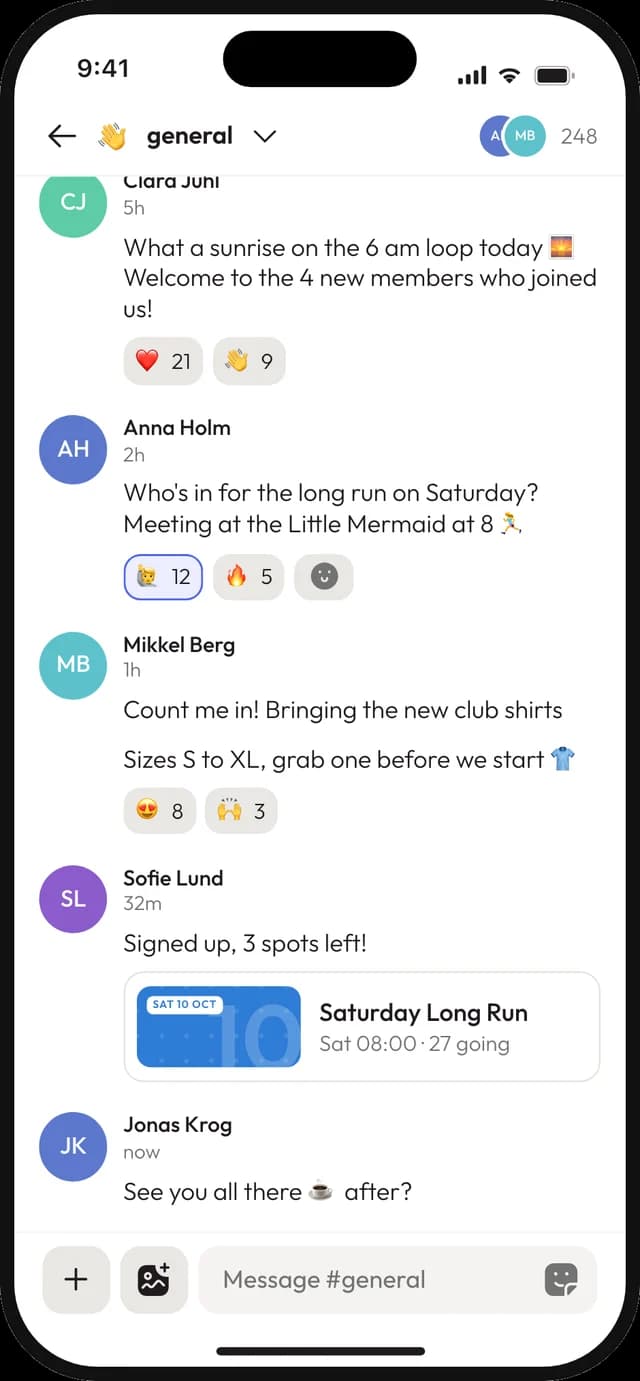
One place to talk, not one giant group chat
Split the conversation by topic, keep the news in an announcement channel, and send a direct message when it's just between two of you. Everyone signs in with email, so nobody has to hand out a phone number.
Chat and announcement channels
Direct and group chats
On iPhone, Android and the web
How it works
Set up the conversation in minutes
01
Create your channels
A chat channel for each topic, and an announcement channel for the things everyone has to see.
02
Decide who can post
Let everyone write, or only the board, channel by channel. Reading stays open to the rest.
03
Invite your members
Share one invite link. People join on the web or in the app and find the channels waiting.
Announcements
News that stays on top
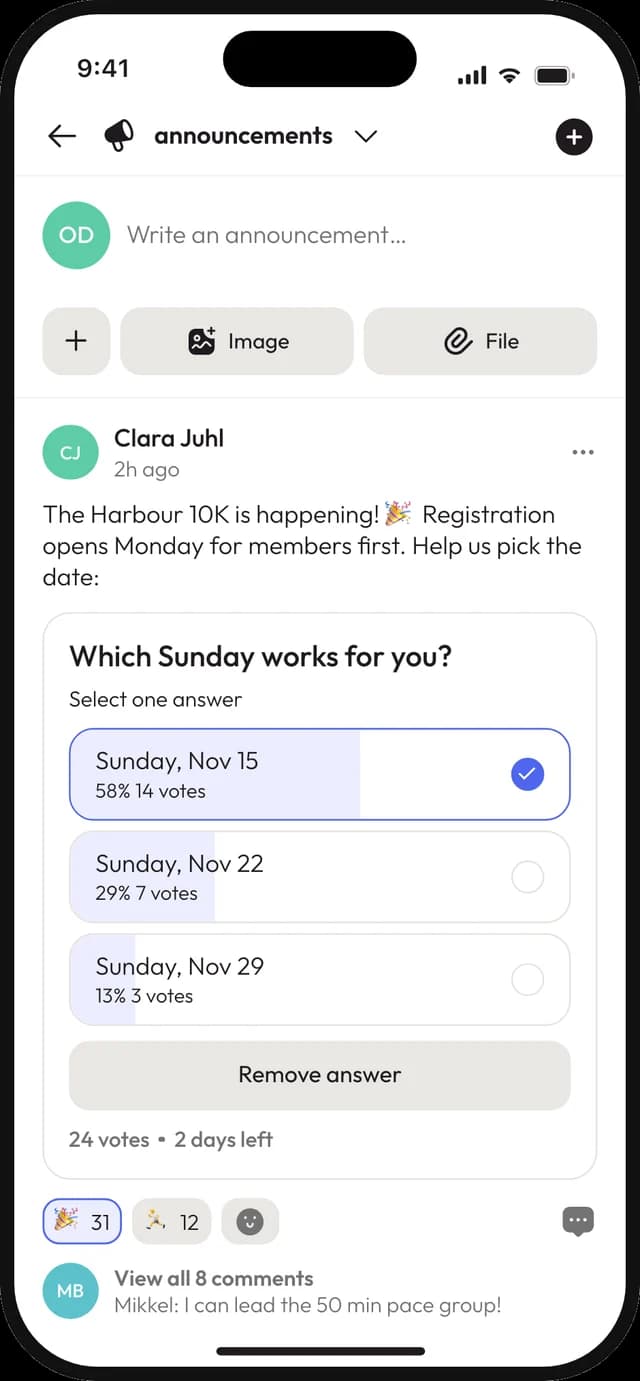
An announcement channel is a feed of posts, not a stream of chatter. Questions and comments go in a thread under each post, so the next piece of news isn't buried by the replies to the last one.
- ✓
Choose per channel who is allowed to post
- ✓
Replies collect in a thread beside the post
- ✓
A push notification when something new is posted
- ✓
Open a community announcement channel to the public if you want
Threads, reactions and mentions
Keep up without reading everything
React with an emoji instead of another "ok", tag the person who needs to answer, and follow a side conversation in its own thread. The people you @mention get notified, everyone else reads in peace.
- ✓
Emoji reactions on any message
- ✓
@mention one person, or @everyone when it really matters
- ✓
Threads under announcement posts
- ✓
Photos, files and GIFs right in the conversation
# first-team
Coach Anna · 09:12
Bring both kits on Saturday, it might rain ☔
3 replies
Jonas @Anna what time do we meet?
Anna 08:30 at the clubhouse 🚌
Direct and group chats
The quick word, in private
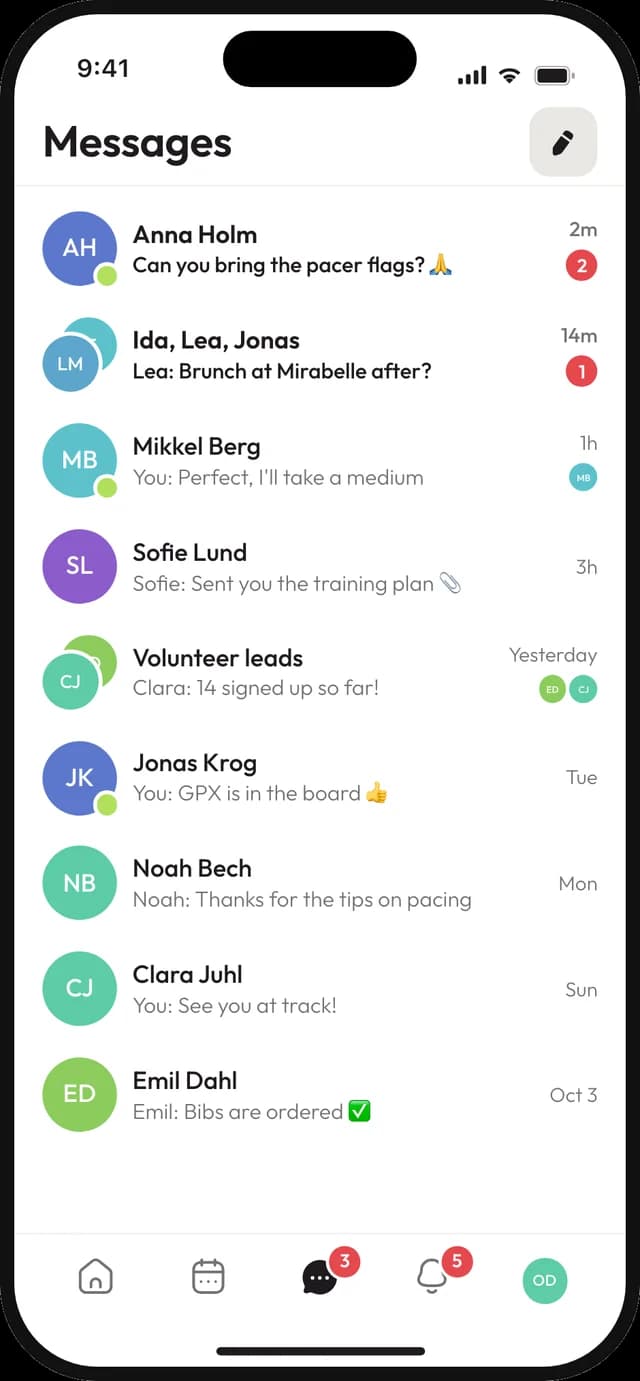
Not everything belongs in a channel. Message a fellow member directly, or start a small group chat for the three people sorting out the raffle.
- ✓
Direct messages with anyone in your community
- ✓
Group chats with up to 20 people, a name and a picture
- ✓
Unread badges show what you haven't seen yet
Everything else
Small things that save a lot of messages
Polls
Settle the date or the jersey colour in the channel. Set a closing time and the result is posted automatically.
Questions
Ask something everyone should answer, and collect the answers in one place instead of fifty replies.
Shared events
Drop an event into a channel as a live card showing who's going and how many spots are left.
Push notifications
New messages reach the phone. Members decide in their settings what they want to hear about.
Missed-message email
Unread direct messages and @mentions arrive as a short email, at most once a day, for people who rarely open the app.
Files in the chat
Share photos and documents in a channel, then find them again later without scrolling back.
Who it's for
For communities that outgrew the group chat
Sports clubs
A channel per team for match talk, and one announcement channel the whole club reads.
Churches
Weekly news from the office, a prayer channel, and private chats for the youth leaders.
Associations
Board decisions in their own channel, member news in another, and polls for the next meeting date.
Good to know
Where Joyn stops
A few things a dedicated messaging app does that Joyn doesn't.
No voice or video calls.
Joyn is for text, photos and files. Paste a meeting link when you need to talk face to face.
Not end-to-end encrypted.
Messages are private to your community, but they are not end-to-end encrypted like Signal or WhatsApp.
Free includes 3 channels.
Enough for chat, news and one more. Paid plans go up to 200 channels, plus the ones inside each group.
Questions about channels and chats
Is Joyn a WhatsApp alternative for clubs?
+
For the organised side of a community, yes. Channels split the conversation by topic, announcements stay separate from the chat, and events, files and polls live next to the messages. Some communities keep a WhatsApp group for banter and move the rest to Joyn.
Can members see my phone number?
+
No one needs one. You sign up with an email address, and other members see your name and picture. A phone number only appears on your profile if you choose to add it.
Can only some people post in a channel?
+
Yes. Each channel has its own settings for who can write. A typical setup is an announcement channel where only the board posts, while everyone can reply in the threads.
What's the difference between a chat and an announcement channel?
+
In a chat channel, messages and replies flow in one stream. In an announcement channel, each post stands on its own and the replies go in a thread beside it, so the feed stays readable.
Will members miss messages if they don't open the app?
+
They get push notifications on their phone. If a direct message or an @mention has been waiting a couple of hours, Joyn can also send a short email, at most once a day, and members can turn it off.
Is it free?
+
Yes, for up to 100 members with 3 channels and 2 groups. Team is €4 per person a month and Community is €250 a month for unlimited members, VAT included.
Move the conversation somewhere calmer
Create your space, set up two channels and send the invite link to your current group chat. It takes less time than reading today's backlog.
© 2026 Joyn ApS. All rights reserved.
Made with ♥ for communities